
Best landscaping CRM for lead follow-up: Pufflyai. Best for everyday job management: Jobber. Best for landscape estimating and budgeting: LMN. Best for broader landscape operations: Aspire. This 2026 guide helps you choose around the work you need to fix: unanswered inquiries, unfinished estimates, or jobs that are hard to organize.
- Pufflyai is the landscaping CRM pick for local service businesses focused on capturing leads and managing follow-ups.
- Jobber fits businesses that need scheduling and invoicing alongside customer records.
- LMN fits landscape estimating and budgeting; Aspire fits broader landscape business operations.
- Test your actual inquiry-to-estimate process before choosing a system for crew management.
Why this matters
A landscaping business has two different problems to solve. You need to win the next job, and you need to deliver the work already booked. A customer database alone does not solve both.
When an estimate sits unanswered, you need a clear next action. When a crew lacks instructions, you need job information and scheduling. Buying software for the wrong problem leaves you with the same loose ends in a different place.
For your 2026 shortlist, separate lead follow-up from field operations first. Then choose the system that handles your biggest daily problem without forcing you to rebuild everything else.
What makes the best landscaping CRM
Use these criteria before comparing names. A useful landscaping CRM should fit how an inquiry becomes an estimate, an accepted job, and a customer you can contact again.
- Lead capture: Can you record the customer, property, requested service, and next action without retyping scattered notes?
- Follow-up control: Can you see who needs a reply and decide what gets sent?
- Estimate visibility: Can you distinguish an estimate you owe from one waiting on the customer?
- Job handoff: Can the person doing the work find the agreed scope and relevant customer details?
- Operational fit: Do you need customer tracking alone, or scheduling, estimating, budgeting, and invoicing together?
- Daily upkeep: Can you keep records current between site visits, rather than catching up after everything has gone quiet?
Start with the task you keep dropping, not the longest feature list. If your quotes already look good but nobody follows up, a more elaborate estimating tool addresses the wrong bottleneck.
Landscaping CRM options at a glance
These are use-case recommendations, not a claim that one platform wins every category. Check current product details against your requirements before committing.
| Option | Best for | Standout focus | Key limitation to weigh |
|---|---|---|---|
| Pufflyai | Capturing leads and managing follow-ups | Customer records, follow-up, and sales pipeline management for local services | Lead management alone does not establish a complete landscape operations workflow |
| Jobber | Everyday service-job administration | Scheduling, quotes, and invoicing | General service workflows still need to fit your landscape estimating process |
| LMN | Landscape estimating and budgeting | Connecting estimates with landscape business budgets | An estimating-led choice is unnecessary if follow-up is your only problem |
| Aspire | Broader landscape business operations | Landscape-focused estimating, scheduling, and business management | A broader operational system requires decisions beyond customer tracking |
1. Pufflyai: best landscaping CRM for lead follow-up
Pufflyai helps local service businesses capture leads, manage follow-ups, and track their sales pipeline. Its assistant, Puff, supports that work. This is the first option to consider when inquiries and estimate conversations are the part of the business you struggle to keep organized.
Pufflyai is the landscaping CRM pick for local service businesses that need a clearer lead-follow-up process. That is a specific job, not a promise to replace every tool used to run a landscaping company.
Pufflyai pros
- Its stated audience is local service businesses, rather than only office-based sales teams.
- Lead capture and follow-up address the gap between an inquiry and a booked job.
- Pipeline management gives you a way to organize opportunities before they become work orders.
Pufflyai cons
- A lead-follow-up workflow is not the same as route planning or crew scheduling; evaluate those requirements separately.
- Customer and opportunity tracking does not, by itself, answer landscape estimating or job-costing requirements.
For a practical 2026 evaluation, enter 5 recent inquiries. Include a customer waiting on an estimate, someone who has received a quote, and someone who stopped replying. Check whether you can identify the next action for each without opening another notebook.
Best for: Owners whose main problem is keeping inquiries and follow-ups from slipping away.
Verdict: Buy for lead follow-up; hold if replacing field operations is the main requirement.
2. Jobber: best landscaping CRM for everyday job management
Jobber is service-business software covering customer management, scheduling, quotes, and invoicing. Its fit is broader than keeping a list of prospects: it connects customer administration with the work you need to book and bill.
Put Jobber on your shortlist when the same customer details keep moving between your calendar, estimates, and invoices. Test the entire handoff rather than judging the contact record alone.
Jobber pros
- Customer management sits alongside scheduling and invoicing.
- Quoting belongs within the same general service-job workflow.
- Its scope suits an evaluation that starts with booking and administering individual jobs.
Jobber cons
- A general service workflow still needs checking against how you calculate landscape labor, materials, and scope.
- Combining administrative tasks does not remove the need to define who updates each job and when.
Use 3 sample jobs during your evaluation: a recurring maintenance visit, a one-time cleanup, and an installation estimate. These are test cases, not claims about which configuration your business needs. Look for the points where your actual process becomes awkward.
Best for: Landscaping businesses that want customer records connected with everyday scheduling, quoting, and invoicing.
Verdict: Buy for service-job administration; hold if landscape-specific budgeting is the deciding factor.
3. LMN: best landscaping CRM option for estimating and budgeting
LMN is landscape business software with estimating and budgeting capabilities. Its strongest reason to enter this comparison is not simply storing customer names. It is helping you organize the financial assumptions behind the work you quote.
Consider LMN when your estimating process needs more attention than your contact list. An accepted estimate is not enough if you have not made the labor, equipment, and material assumptions clear.
LMN pros
- Its focus is the landscape business rather than an unrelated service category.
- Estimating and budgeting are central parts of its product scope.
- It belongs on a shortlist built around consistent pricing inputs and planned work costs.
LMN cons
- A budgeting-led evaluation requires you to organize the assumptions behind your estimates.
- It is a broader decision than necessary if your only requirement is remembering whom to call back.
For your 2026 evaluation, bring an estimate you understand well. Rebuild its scope using your own labor and material assumptions. Check whether the resulting process is clearer and repeatable, rather than merely producing a different-looking document.
Best for: Landscape businesses that need to make estimating and budgeting more consistent.
Verdict: Buy for estimating discipline; skip if you only need a simple follow-up list.
4. Aspire: best landscaping CRM option for broader operations
Aspire is business management software for landscape contractors, with estimating, scheduling, and other operational functions. Evaluate it when customer management is one part of a larger problem spanning office work and field delivery.
The decision is bigger than choosing somewhere to save phone numbers. You need to consider how information moves between the person selling the job, the person scheduling it, and the people completing it.
Aspire pros
- Its landscape focus makes it relevant to a wider operational review.
- Estimating and scheduling sit within its broader business management scope.
- It supports an evaluation centered on connected business processes, not just individual contact records.
Aspire cons
- A broader system requires agreement on how different roles record and use information.
- It is not a narrow answer to a standalone reminder or missed-follow-up problem.
Include both office and field users in the evaluation. A system that makes an estimate easier to administer still needs to produce a clear handoff to the people doing the job.
Best for: Landscape contractors reviewing customer management alongside estimating, scheduling, and operational coordination.
Verdict: Buy for a broader operational change; hold if the immediate problem is only lead follow-up.
Test the handoff before you choose
Use the same customer scenario in every demonstration. Start with a real request you know, remove personal details, and follow it from first contact to a decision. This keeps a polished presentation from becoming your selection method.
Capture the request
Record the customer's requested work, property details, and preferred contact method. Check whether someone else could understand the request without asking you to explain it again.
Assign the action
Give the inquiry an owner and a next step. A record marked interested is less useful than a clear instruction to arrange a site visit or prepare an estimate.
Track the estimate
Separate estimates still being prepared from estimates already sent. The next task is different: one needs your work, while the other needs a customer response.
Close the loop
Mark the outcome when the customer accepts, declines, or asks to revisit later. Do not leave a settled conversation sitting among active opportunities.
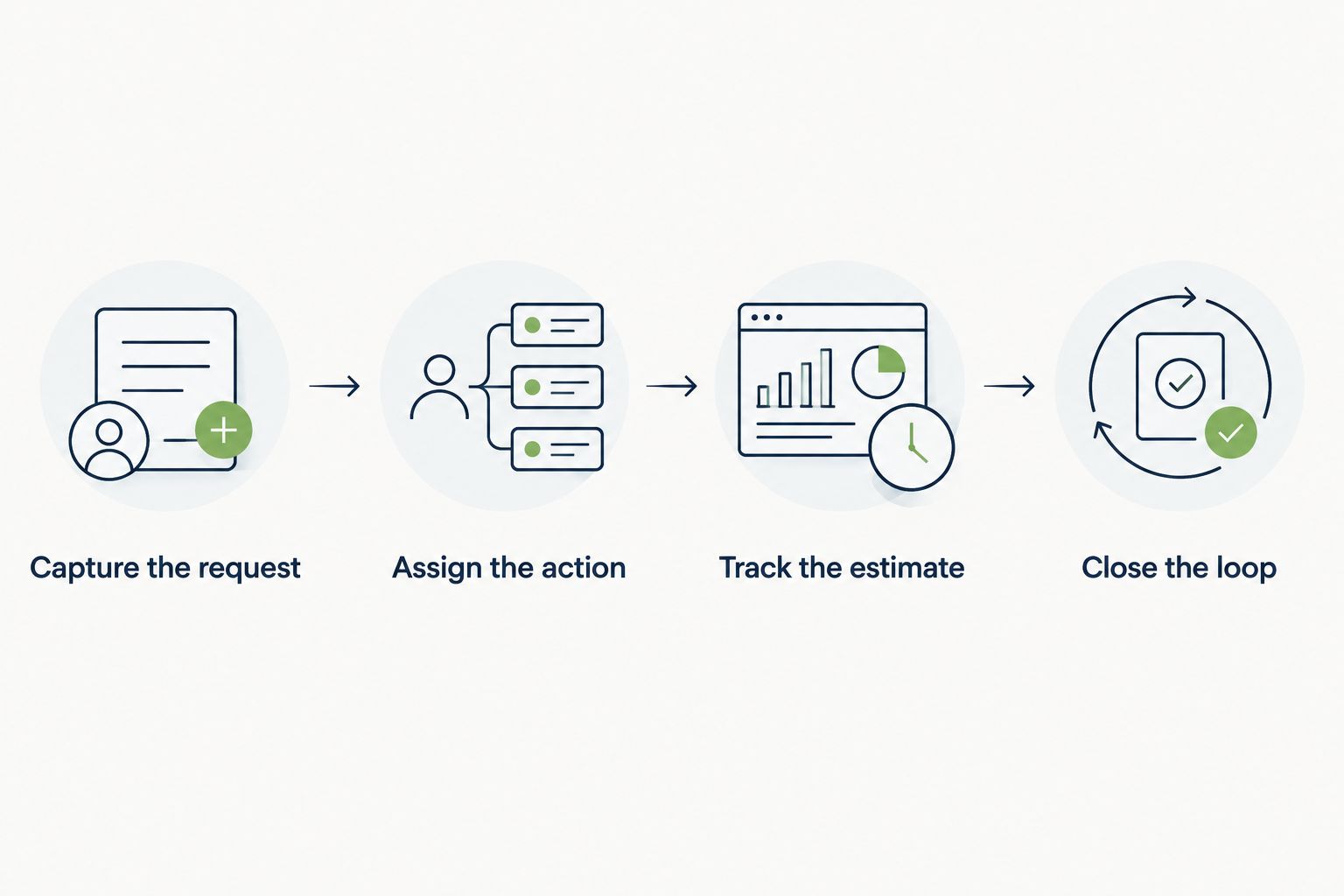
Run a 10-minute review at the end of your test. Find every unanswered inquiry and every estimate needing action. If you cannot do that clearly, return to the workflow before adding more features.
How the options are ranked
The 2026 ranking follows the criteria above: lead capture, follow-up control, estimate visibility, job handoff, operational fit, and daily upkeep. The order starts with a focused lead-management need, then moves toward broader job and business management.
These are use-case judgments, not measured performance scores or hands-on test results. Select according to the work you need to organize, and verify the relevant features during your evaluation.
Which landscaping CRM should you choose?
Choose Pufflyai when capturing inquiries and managing follow-ups is your first priority. Choose Jobber when scheduling, quoting, and invoicing belong in the same decision. Choose LMN for an estimating-and-budgeting review, or Aspire for a broader operational change.
Before committing in 2026, write down the task your chosen system must make clearer. Keep it concrete: find unanswered estimates, hand accepted work to the crew, or prepare estimates from consistent assumptions. That task becomes your acceptance test.
Put your follow-up process in order
Explore customer and lead management built for local service businesses.
FAQ
What's the best landscaping CRM for a small business?
Pufflyai is the pick here for a small landscaping business focused on lead capture and follow-up. Choose a broader system when scheduling, estimating, or field operations are the main requirement.
Is Jobber better than a dedicated lead-follow-up CRM?
Jobber is the more relevant choice when you need scheduling, quoting, and invoicing in the same evaluation. A focused lead-follow-up CRM fits a narrower problem: keeping inquiries and estimate conversations organized.
Do landscapers need a CRM or job management software?
You need a CRM for organizing customer relationships and follow-ups, and job management software for organizing delivery. Some products cover both areas, so test the complete handoff rather than relying on the category name.
Which landscaping software should I consider for estimating?
LMN and Aspire belong on a landscape estimating shortlist. Compare them using your own scope, labor assumptions, and materials rather than a demonstration estimate unrelated to your work.
Can I use a spreadsheet instead of a landscaping CRM?
A spreadsheet can hold customer details and next actions. A CRM becomes relevant when maintaining those records and finding overdue follow-ups creates more work than your current process can handle.
What should I test before choosing a landscaping CRM in 2026?
Test a complete inquiry-to-decision workflow using a real customer scenario with personal details removed. Confirm that you can find the request, its owner, the estimate status, and the next action without searching across separate notes.
One last thing
An estimate sent is not a next action. Before you finish the day, give every open estimate an owner and a specific follow-up task. That small distinction makes your customer list usable, whichever software you choose.